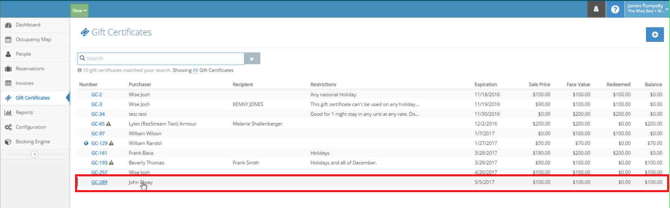
In some cases a guest will need to cancel a reservation that has already been fully or partially paid and apply that payment amount to a future reservation. For these situations we will create a Gift Certificate to use as the credit for the future reservation. The following guide will show us how to accomplish this:
-
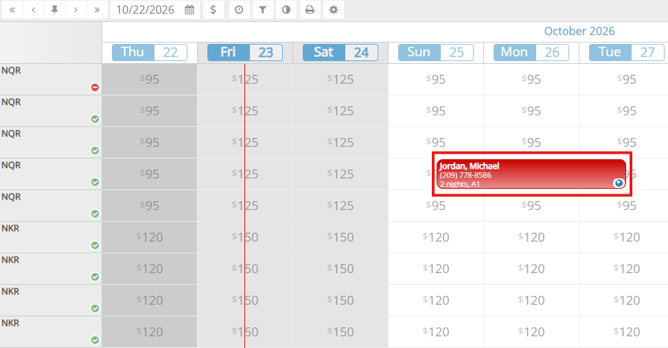
Select the reservation from either the Occupancy Map (seen here) or from the Reservations screen.
-
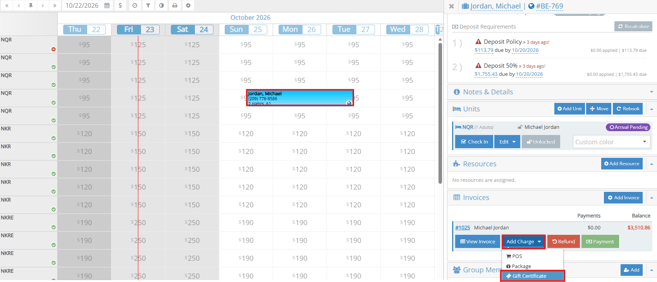
Select Add Charge from the Invoices section on the bottom right and then choose Gift Certificate
-
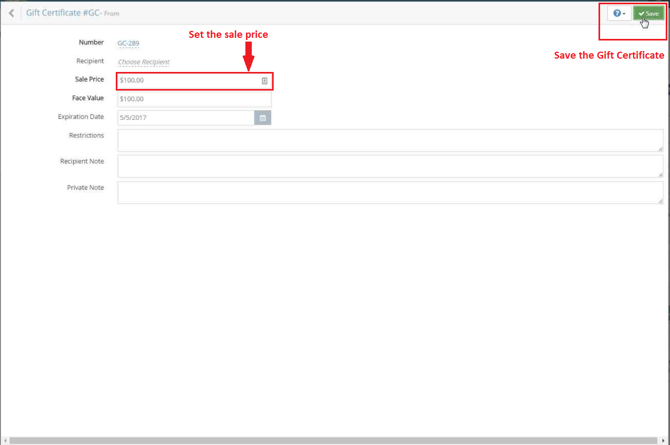
Enter the payment amount in the Gift Certificate Sale Price field, then Save the Gift Certificate. In the example above, the payment amount is $100, so the Gift Certificate Sale Price should also be $100. You may also want to change the expiration date.
-
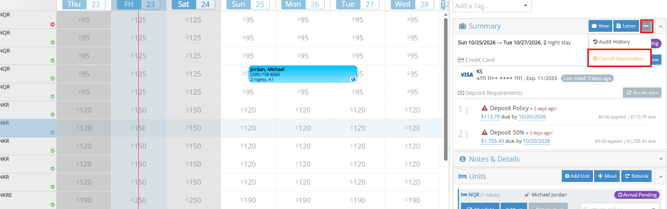
Cancel the reservation by selecting the 3 dots in the grey box.
-
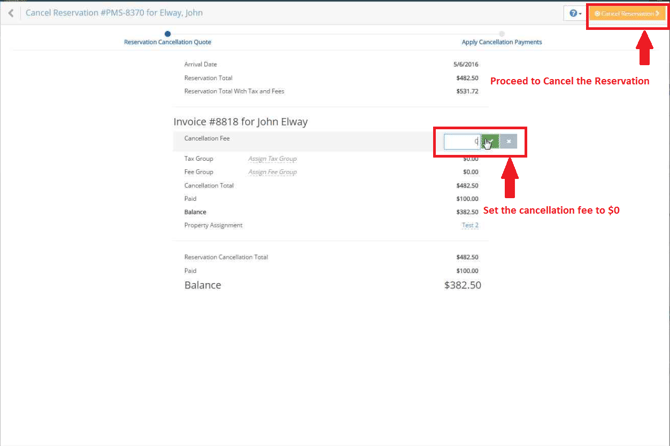
Make sure the Cancellation Fee is $0 and proceed with the cancellation.
-
You now have canceled the reservation and created a gift certificate that can be applied to a future reservation.