
Reservation reports display live reservation data pulled directly from your database. These reports offer light customizability and are designed to support day-to-day operational tracking, guest management, and reporting.
How to Access the Reports
- Click the Reports tab in the left navigation menu.
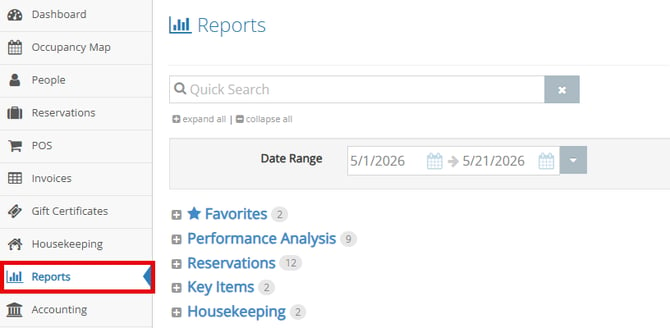
- Select the Reservations section.
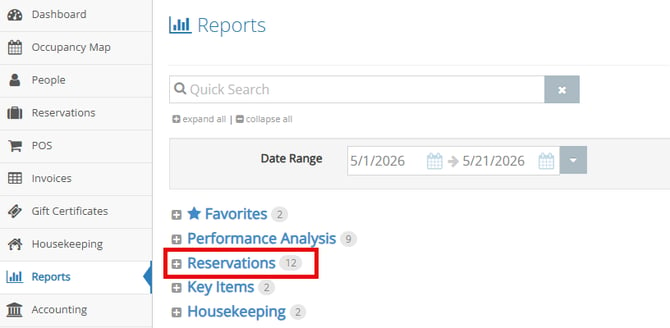
- Expand the Reservations section.
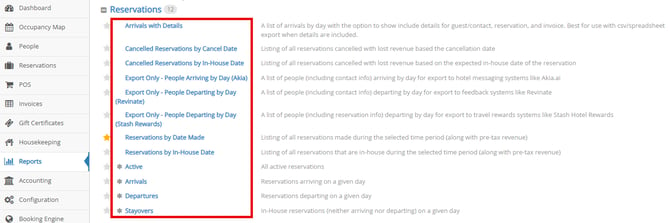
- You have 12 Reservation reports to choose from:
- Arrivals with Details
- Cancelled Reservations by Cancel Date
- Cancelled Reservations by In-House Date
- Export Only - People Arriving by Day (Akia)
- Export Only - People Departing by Day (Revinate)
- Export Only - People Departing by Day (Stash Rewards)
- Reservations by Date Made
- Reservations by In-House Date
- Active
- Arrivals
- Departures
- Stayovers
Reservation Report Data
The Reservation reports contain the following data to help with tracking reservation status. Additional columns may appear depending on the specific Reservation report being viewed, but the fields below are the most common across all Reservation reports:
- Arrival - the arrival date of the reservation
- Departure - the departure date of the reservation
- Guest - who the reservation is for
- Confirmation # - the confirmation number for the reservation
The Reports
Arrivals with Details
A list of arrivals by day with the option to include additional details for the guest/contact, reservation, and invoice. This report is best used with CSV or spreadsheet exports when details are included.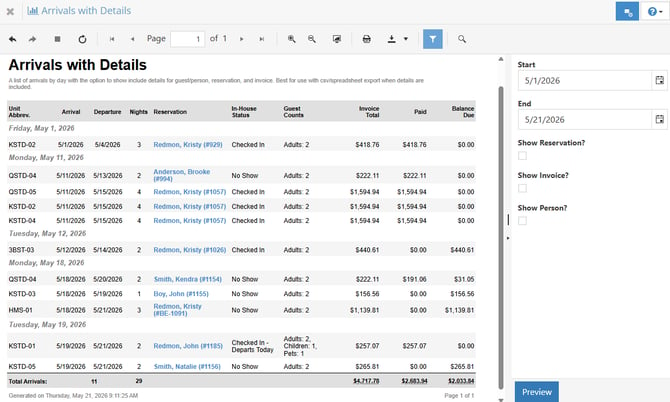
Cancelled Reservations by Cancel Date
A listing of all reservations cancelled with lost revenue based on the cancellation date.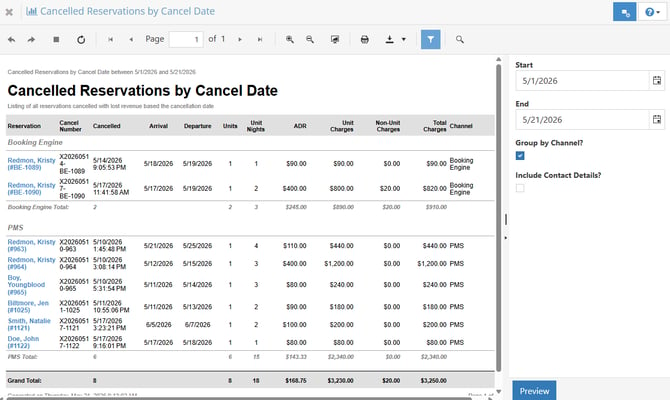
Cancelled Reservations by In-House Date
A listing of all reservations cancelled with lost revenue based on the expected in-house date of the reservation.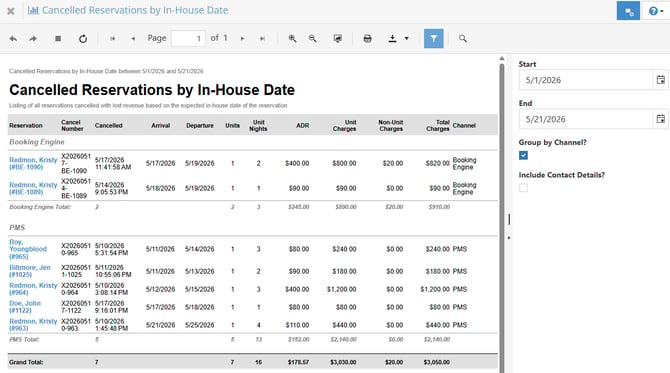
Export Only - People Arriving by Day (Akia)
A list of guests arriving each day, including contact information, formatted for export to hotel messaging systems such as Akia.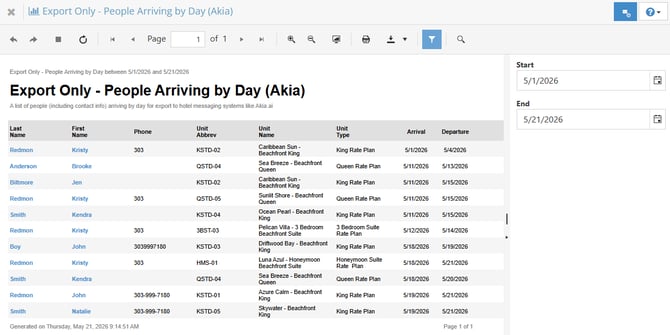
Export Only - People Departing by Day (Revinate)
A list of people, including contact information, departing by day for export to feedback systems such as Revinate.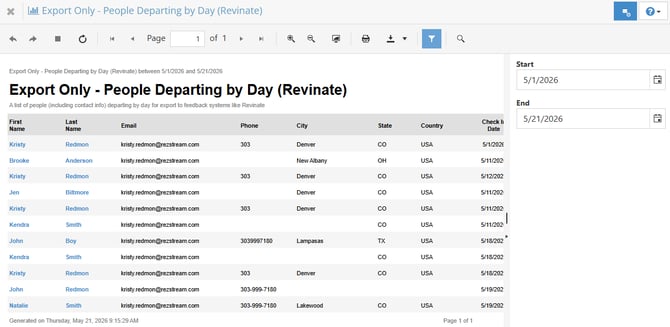
Export Only - People Departing by Day (Stash Rewards)
A list of people, including reservation information, departing by day for export to travel rewards systems such as Stash Hotel Rewards.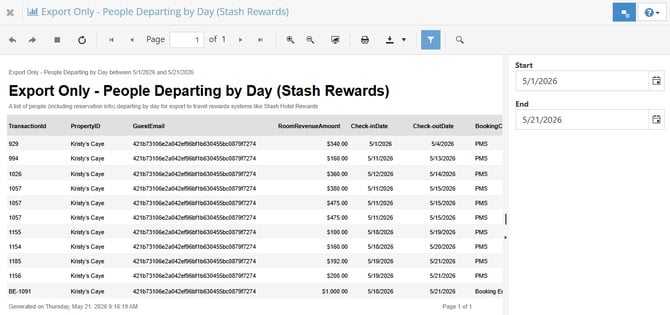
Reservations by Date Made
A listing of all reservations made during the selected time period, including pre-tax revenue totals. Use this report to review booking volume and revenue for a specific date range.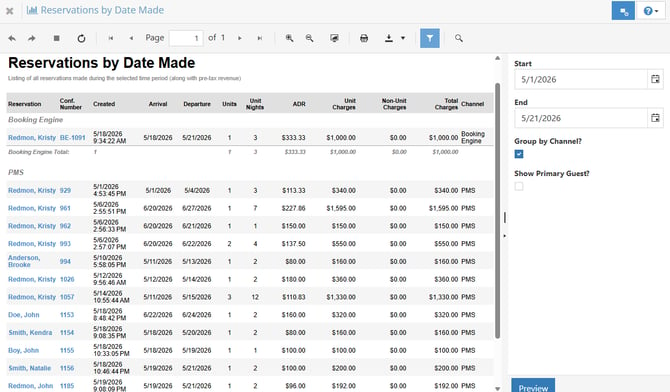
Reservations by In-House Date
A listing of all reservations that are in-house during the selected time period, including pre-tax revenue totals. Use this report to review occupancy and revenue for guests currently staying at the property.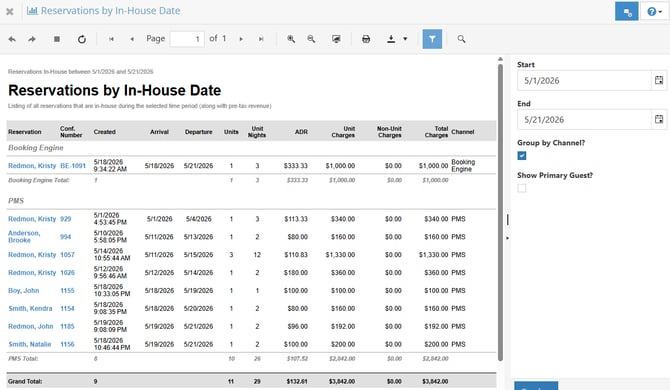
Active
The Active report shows all active reservations for the selected day, including arrivals, departures, and stayovers.
You have the ability to choose which types of notes appear on the report by changing the report settings. The settings selected will apply across the different Reservation reports.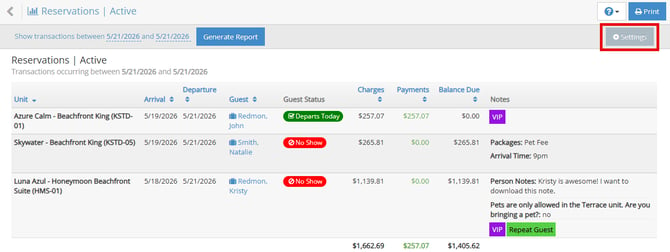
Arrivals
The Arrivals report shows only reservations arriving on the selected report date.
You have the ability to choose which types of notes appear on the report by changing the report settings. The settings selected will apply across the different Reservation reports.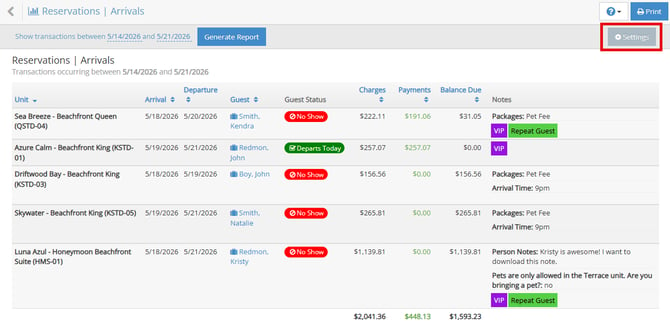
Departures
The Departures report shows only reservations departing on the selected report date.
You have the ability to choose which types of notes appear on the report by changing the report settings. The settings selected will apply across the different Reservation reports.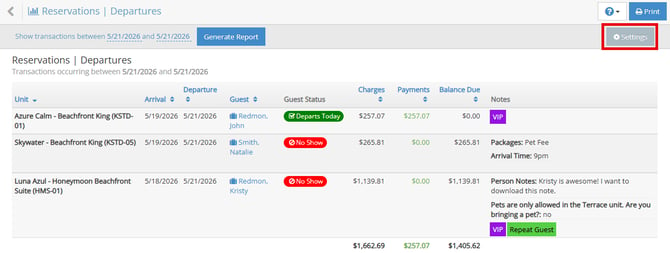
Stayovers
The Stayovers report shows all in-house reservations for guests who are neither arriving nor departing on the selected date.
You have the ability to choose which types of notes appear on the report by changing the report settings. The settings selected will apply across the different Reservation reports.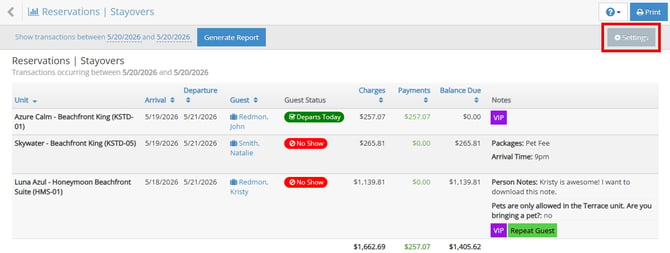
Reservation reports can also be printed or exported for operational planning, guest management, and reporting purposes.