
Whether a reservation is created by phone or through your online booking engine, the system checks guest history. If the guest has stayed with your property before, the Repeat Guest tag can be automatically applied.
Since repeat guests are often the foundation of your business, this feature ensures they are consistently identified across reservations, guest records, and reporting.
-
Create a People Tag if you do not already have a Repeat Guest tag:
-
Navigate to Configuration > People Tags
-
Click Add New Tag
-
- Configure the Auto Tag
-
-
Enter a tag name (e.g., “Repeat Guest”)
-
Enable the Automatic Trigger option
-
Select Repeat Guest as the trigger type
-
Configure the Auto Tag
-
Click Save Person Tag
-
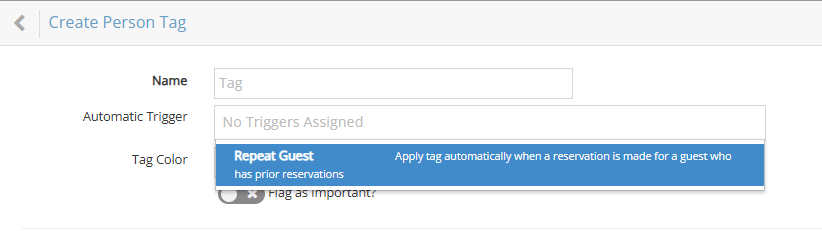
Once enabled, rezStream Cloud will automatically apply this tag to guests who have stayed at your property before.