
Steps
- Log in to rezStream Cloud.
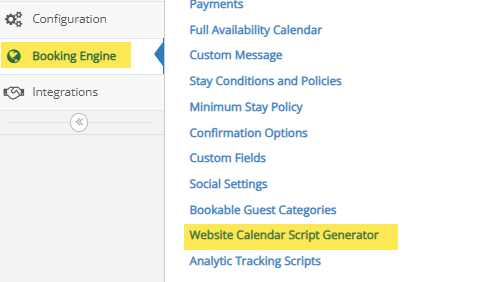
- Click the Booking Engine tab.
- Open the Website Calendar Script Generator.
- Select Filter by Property.
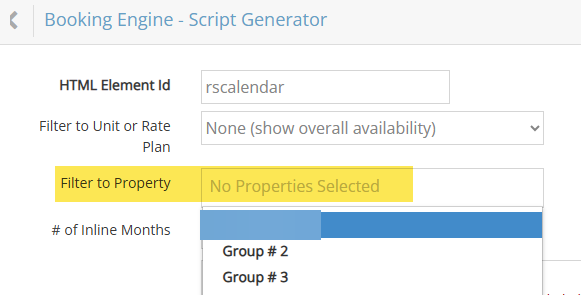
- Locate the Properties field.
- Copy the Property ID shown in that field.
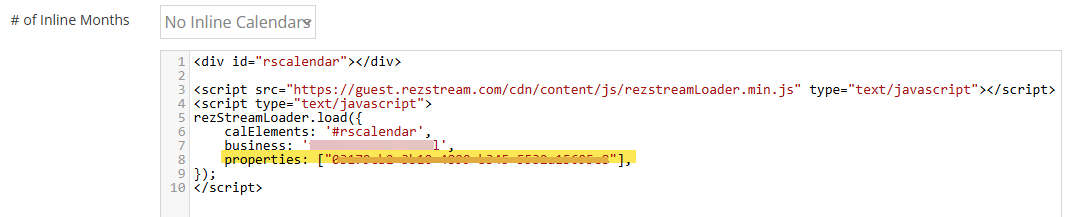
- Paste the Property ID into your booking engine link after:
requestedPropertyIds=