
Need to email your guests? Export a list of them from rezStream Cloud to a .csv file.
Time needed: about 3 minutes
Export your contact list
1Open Advanced Search
Go to People and click Advanced Search.
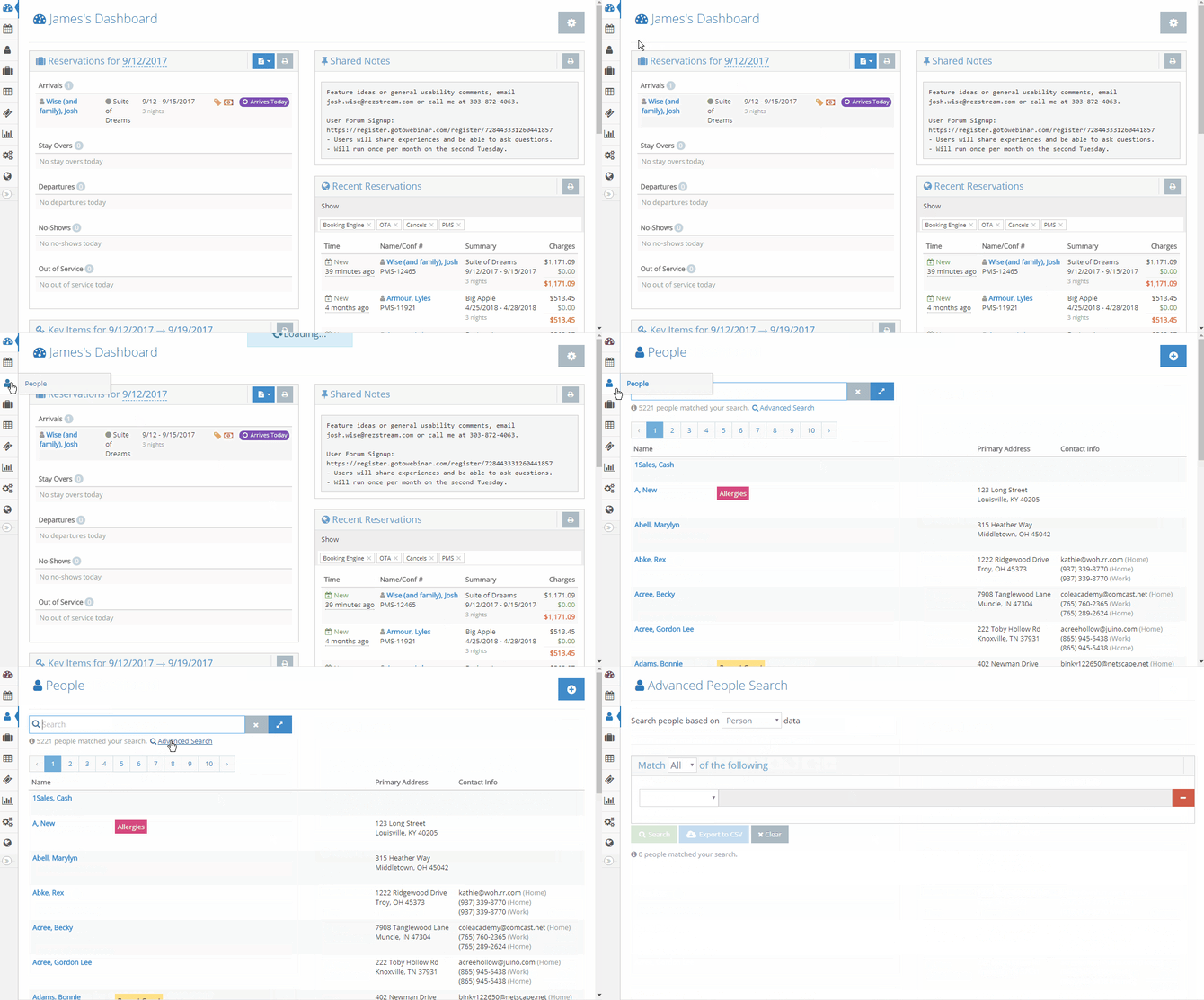
2Search for the guests you want
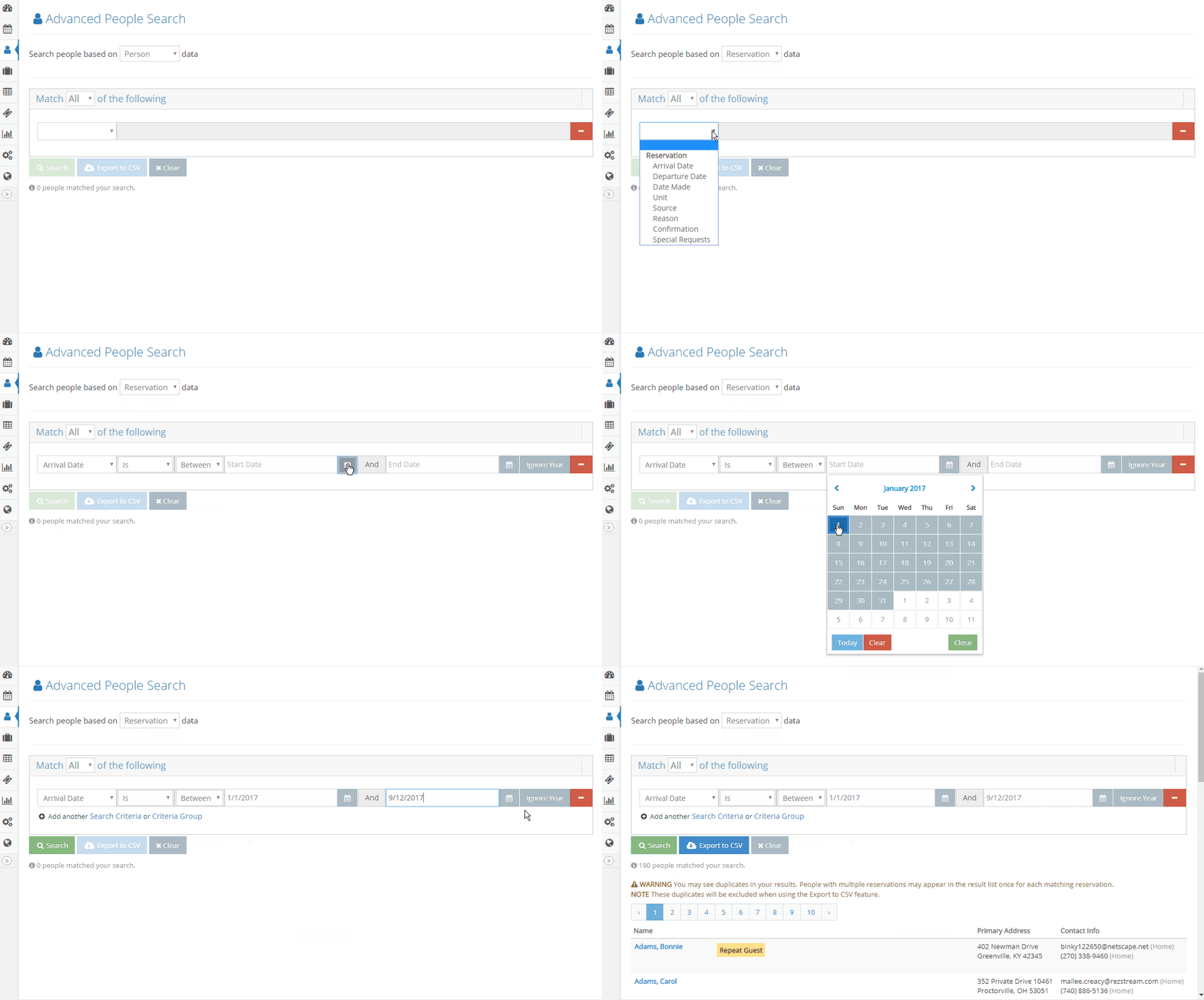
You can search using reservation details, contact details, or both:
| Reservation details | Contact details |
|---|---|
|
|
Searching by reservation details
Searching by contact details
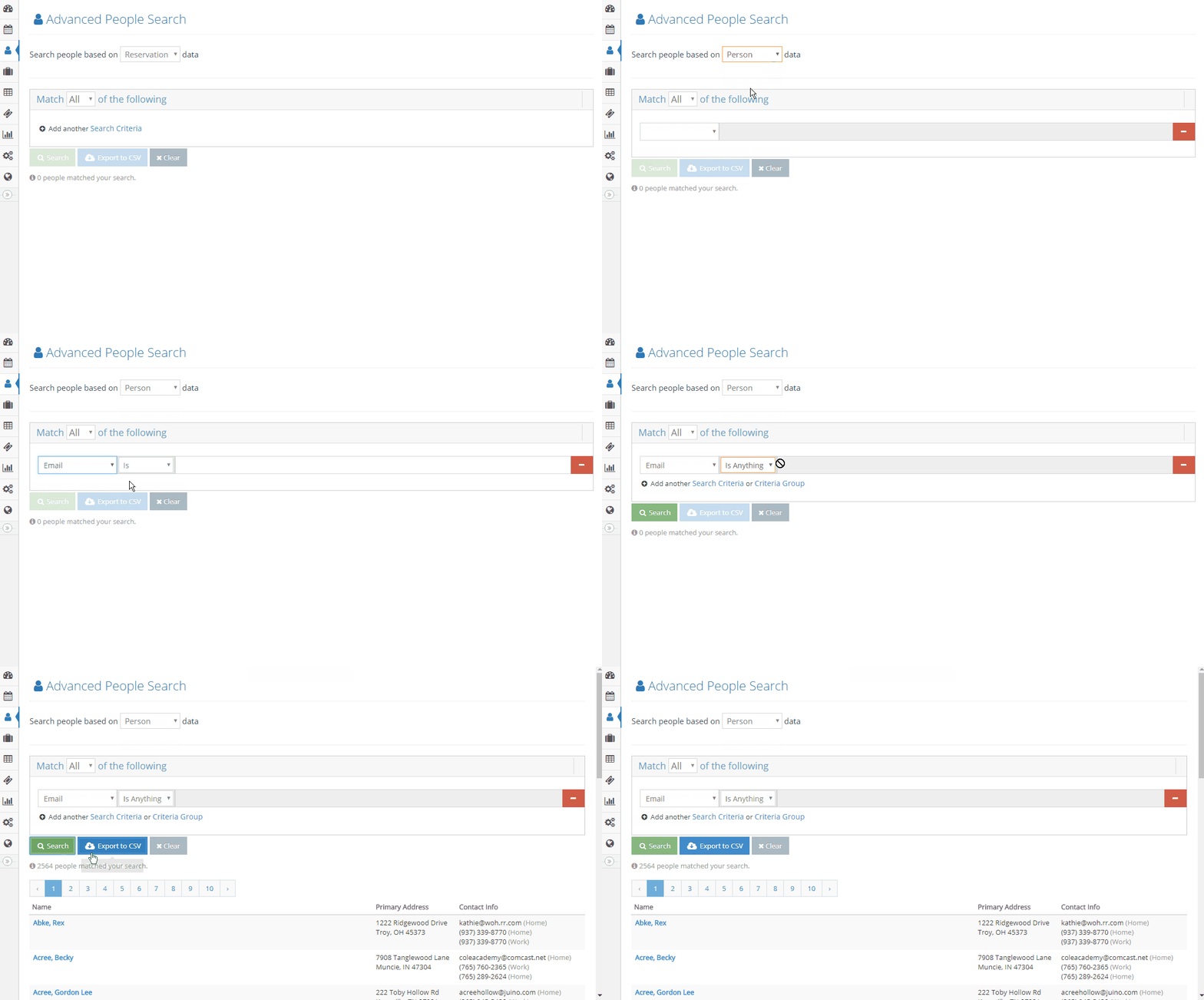
Want to combine several search details? See Advanced People Search.
3Export the list
Click the export button. The .csv file is saved to your computer's default Downloads folder.
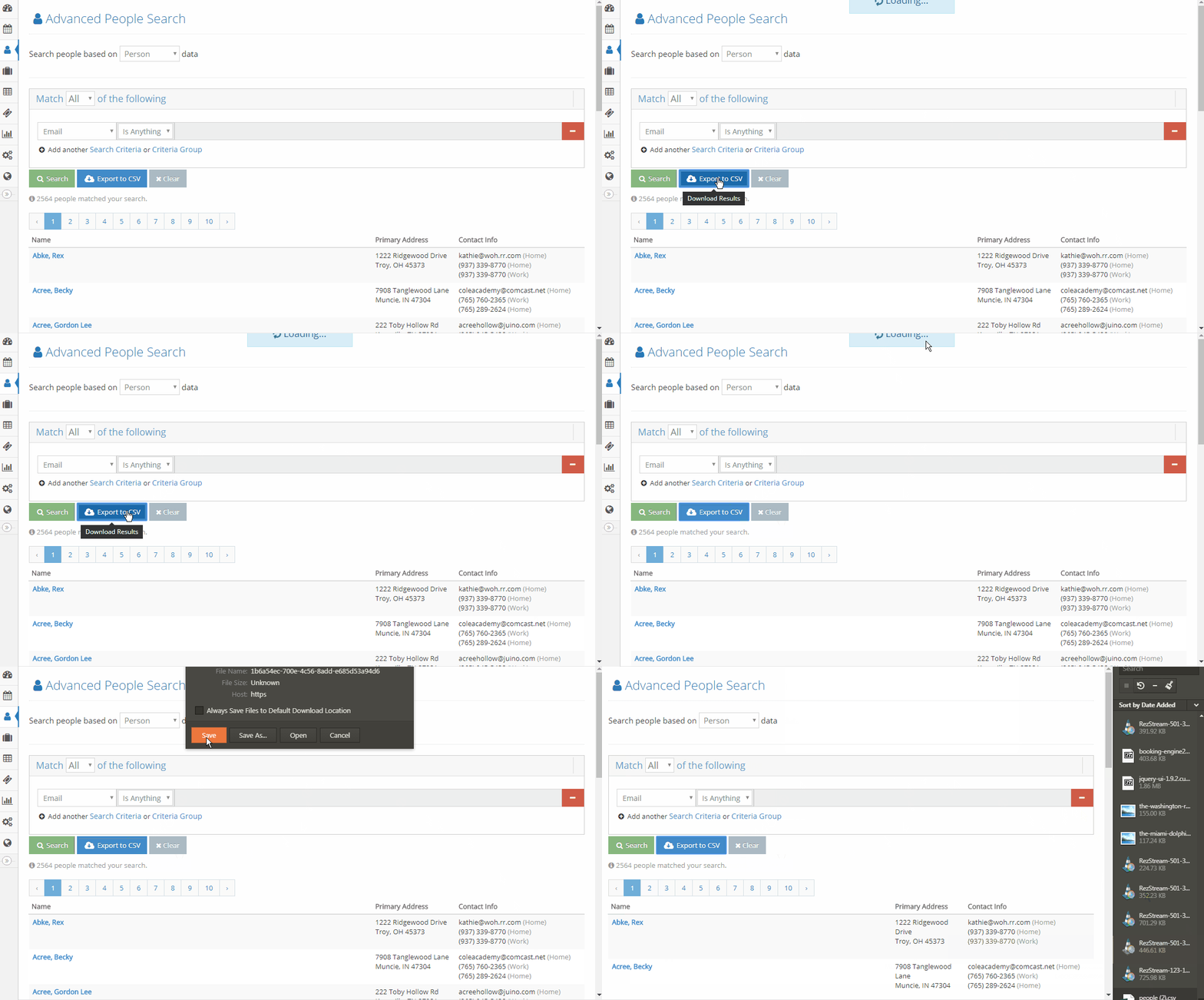
✓You're done!
Your contact list is ready to use, such as for sending emails to your guests.
Still need help?
Call us at 303-872-0220 x 2 or send us a support request. We're happy to walk you through it.
Related articles