
Overview
Understanding how channel sync works helps set realistic expectations and avoids unnecessary troubleshooting. rezStream sends updates automatically, but each OTA controls how and when those updates appear on its platform.
What “Channel Sync” Means in rezStream
Channel sync is the process of rezStream sending rate and availability updates to connected OTAs.
When changes are made in rezStream, updates are automatically sent to connected channels. This includes:
- Rates
- Availability
- Certain availability restrictions
rezStream acts as the source of truth for this data. Once updates are sent, the channel processes and displays the information based on its own rules and timing.
How Often rezStream Sends Updates
rezStream sends updates to connected channels through a secure connector, Channex, approximately every 15 seconds.
This means:
- You do not need to manually push updates
- Changes are sent automatically after:
- Rate updates
- Availability changes
- Restriction updates
This is the send frequency from rezStream. Channel-side processing and display timing vary by OTA.
Sending an update does not guarantee the change will appear instantly on the OTA website.
Why Changes Don’t Always Appear Immediately on OTAs
Even though rezStream sends updates frequently, each OTA controls how and when data is refreshed on its platform.
Delays may occur due to:
- Channel refresh schedules
- Website caching on the OTA side
- Channel-side processing queues
- High-traffic or peak booking periods
It is normal for many updates to appear within minutes, while others may take longer depending on the channel. A short delay does not usually indicate a sync issue.
What rezStream Syncs (and What It Doesn’t)
rezStream does sync:
- Base rates
- Availability
- Availability restrictions, such as:
- Closed dates
- Same-day booking cutoffs
- Minimum nights required (also configured in the OTA extranet)
rezStream does not control:
- Channel fees, taxes, or rounding
- Fees such as:
- Extra person fees
- Cleaning fees
- Pet fees
- Packages or promotions created directly in the OTA
- How prices are displayed to guests on the channel
- The exact timing of channel-side refreshes
If pricing or availability looks different on a channel, compare the base rate in rezStream first. Differences are often due to channel-side behavior rather than a sync failure.
Please note that packages, taxes, and fees are managed within the channel’s extranet and are not transmitted through rezStream Channels. When OTA reservations import into rezStream, fee amounts are combined into the first invoice line item rather than itemized separately. This ensures the invoice total matches the guest charge or payout reported by the OTA.
Channel-Specific Timing Expectations
Different channels process updates differently.
Airbnb
- Often reflects changes quickly
- Guest-facing prices may lag slightly due to caching
VRBO
- Updates may take longer to process
- If disconnected, updates will not resume until reauthorization is completed
Booking.com
- Refresh timing varies
- Price differences may appear due to rounding, taxes, or fees
If one channel updates quickly while another lags, this typically reflects channel-side timing differences rather than a rezStream issue.
How to Verify Channel Sync
Use the steps below to determine whether action is needed.
Step 1: Confirm the Data in rezStream
Before checking the OTA for updates, confirm that the correct rates, availability, and restrictions appear in rezStream.
Review:
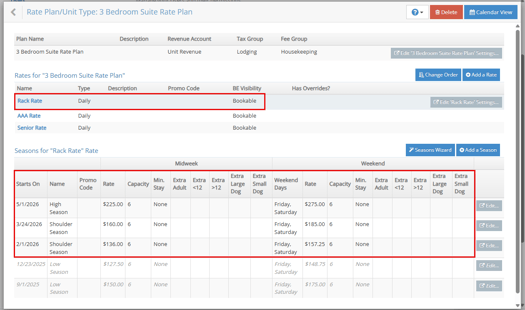
- Rates and availability: Configuration → Rate Plans/Unit Types → [Rate Plan Name] → Rate Plan → Seasons
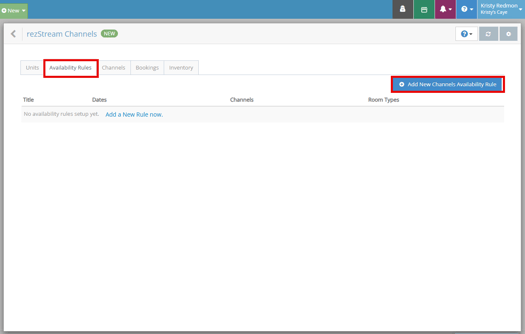
- Availability rules: Integrations → rezStream Channels → Availability Rules
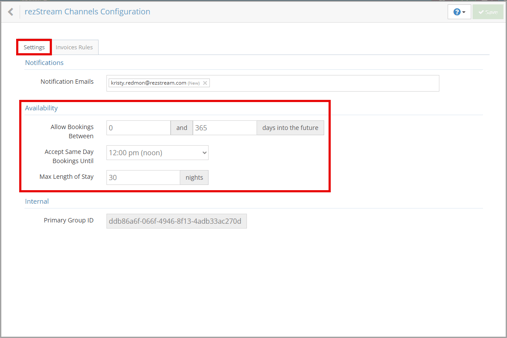
- Booking window settings: Integrations → rezStream Channels → Channel Tenant Settings (gray gear) → Settings → Availability

If the data is incorrect in rezStream, update it first. Channel updates are based on what rezStream sends.
Step 2: Allow Time for the Channel to Process the Update
rezStream sends updates automatically when changes are made.
It is normal for channels to take up to 30 minutes to process and display updates.
If the change was made recently, no action is needed.
Step 3: Verify Channel Mappings and Connection Status
If the correct data appears in rezStream and more than 30 minutes have passed, review channel configuration and connection status.
Verify:
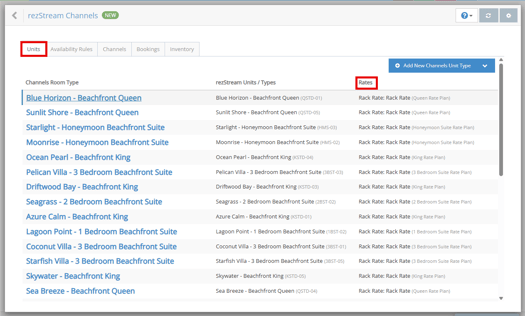
- Rate plan mappings: Integrations → rezStream Channels → Units → Rates
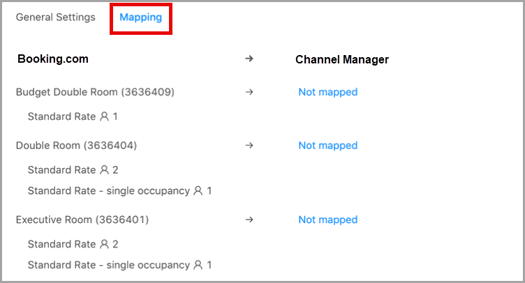
- Unit mappings: Integrations → rezStream Channels → Channels → Actions (next to the OTA) → Edit → Mapping
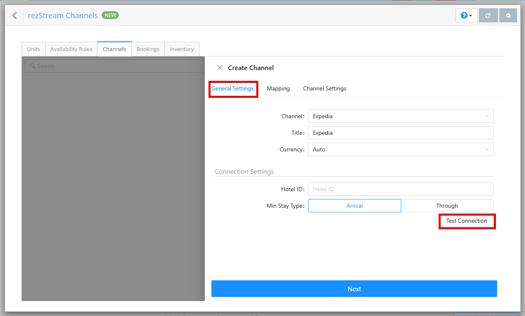
- Channel connection status: Integrations → rezStream Channels → Channels → Actions (next to the OTA) → Edit → General Settings → Test Connection
If the channel shows a disconnected or error status, contact rezStream Support.
What’s Normal
The following behaviors are expected and do not usually indicate a sync issue:
- Changes appearing in rezStream before they appear on the OTA
- Slight price differences between rezStream, the booking engine, and OTAs
- Updates taking several minutes to appear on different channels
When to Contact Support
Contact support if:
- You’re unable to update rates or availability in rezStream
- A channel shows a disconnected or error status
- Rates or availability are missing entirely on the channel
- Updates have not appeared after 30 minutes and configuration has been verified
When contacting support, include the channel name, unit or rate plan, what was changed, and the approximate time the change was made. This helps support confirm whether the channel is processing updates normally.