
Make a Reservation From the Occupancy Map
Create a reservation right from the Occupancy Map, and change it later if you need to.
Time needed: about 10 minutes
Watch first
On this page
Part 1: Choose the dates and rate
- On the Occupancy Map, find the unit. Click the Arrival Date cell and drag to the Departure Date, then let go of the mouse button.
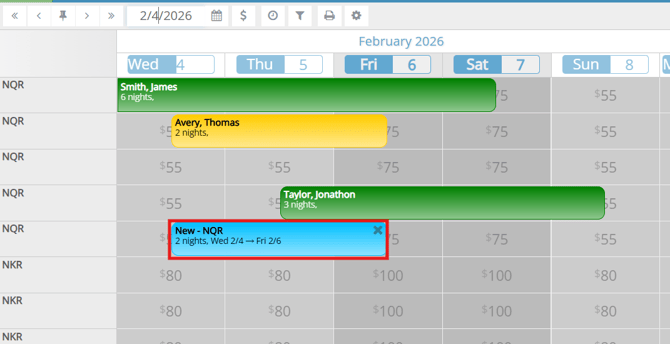
- In the panel on the right:
- Confirm the dates and unit.
- Choose an available rate (and package, if needed).
- Enter the # of Guests.
- Review the rate, taxes and total.
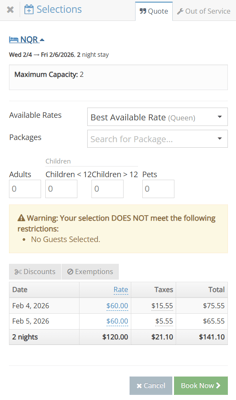
- Click Book Now.
Part 2: Choose the guest
Search for a guest who's already in your system, or add a new one.
Option A: An existing guest
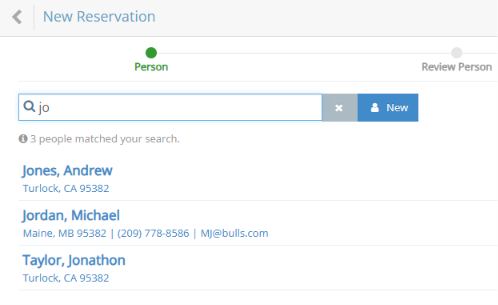
- Type all or part of the guest's name.

- Choose the guest from the matching names.
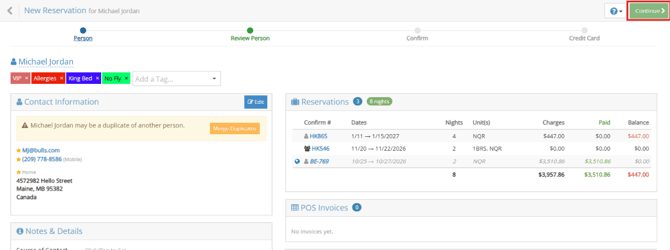
- On the Reservation Details page, add any tags or notes, then click Continue. Go to Part 3.
Option B: A new guest
- Click New.

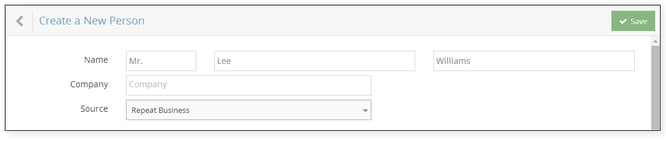
- Enter the guest's Name, Company and Source.
- Enter a Zip Code and click Search. The city and state fill in automatically.
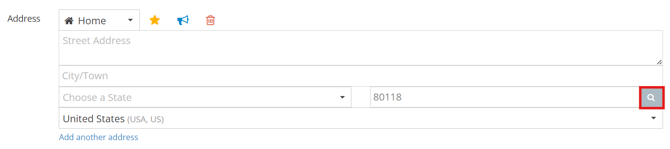 International guest? Choose the Country first, then enter the postal code. Make sure the address is right. You can edit any field.
- Add an Email Address and Phone Number, then click Save in the upper right corner.
 You can add more than one email or phone number. The first one is the Primary contact. To change it, click the one you want to use as the main contact.
- On the Reservation Details page, add any details or notes, then click Continue.
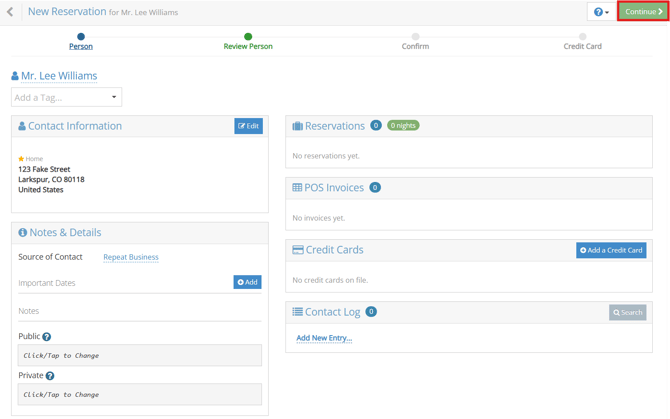
Part 3: Confirm the reservation
Choose how to finish the booking:

| Option | What happens |
|---|---|
| Confirm with Credit Card | Click Add New Card, fill in the required fields, and click Save to complete the reservation. |
| Book without Confirmation | Skips the payment screen and completes the reservation. |

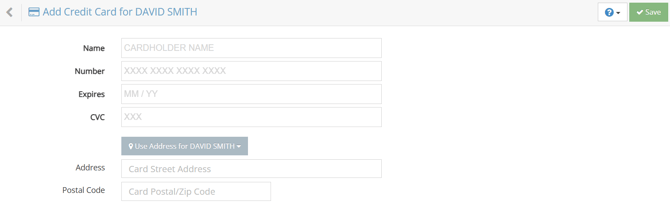
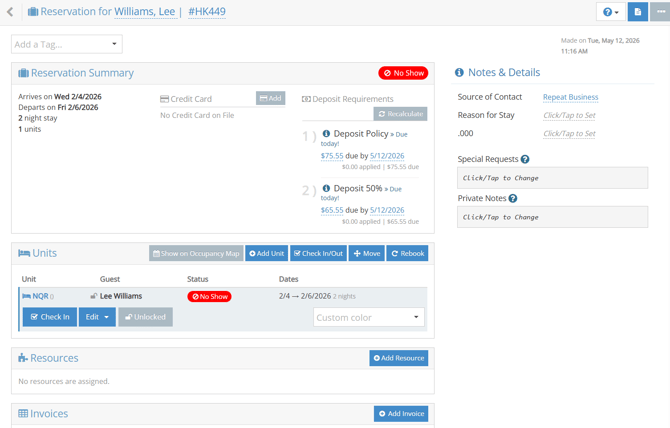
You're done! The Reservation Detail page opens:
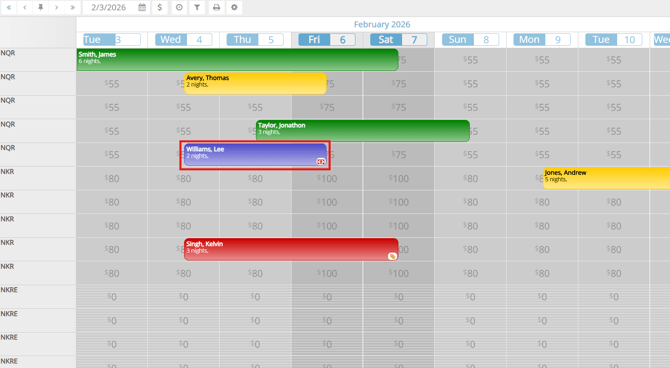
…and the reservation shows on the Occupancy Map:
Edit an existing reservation
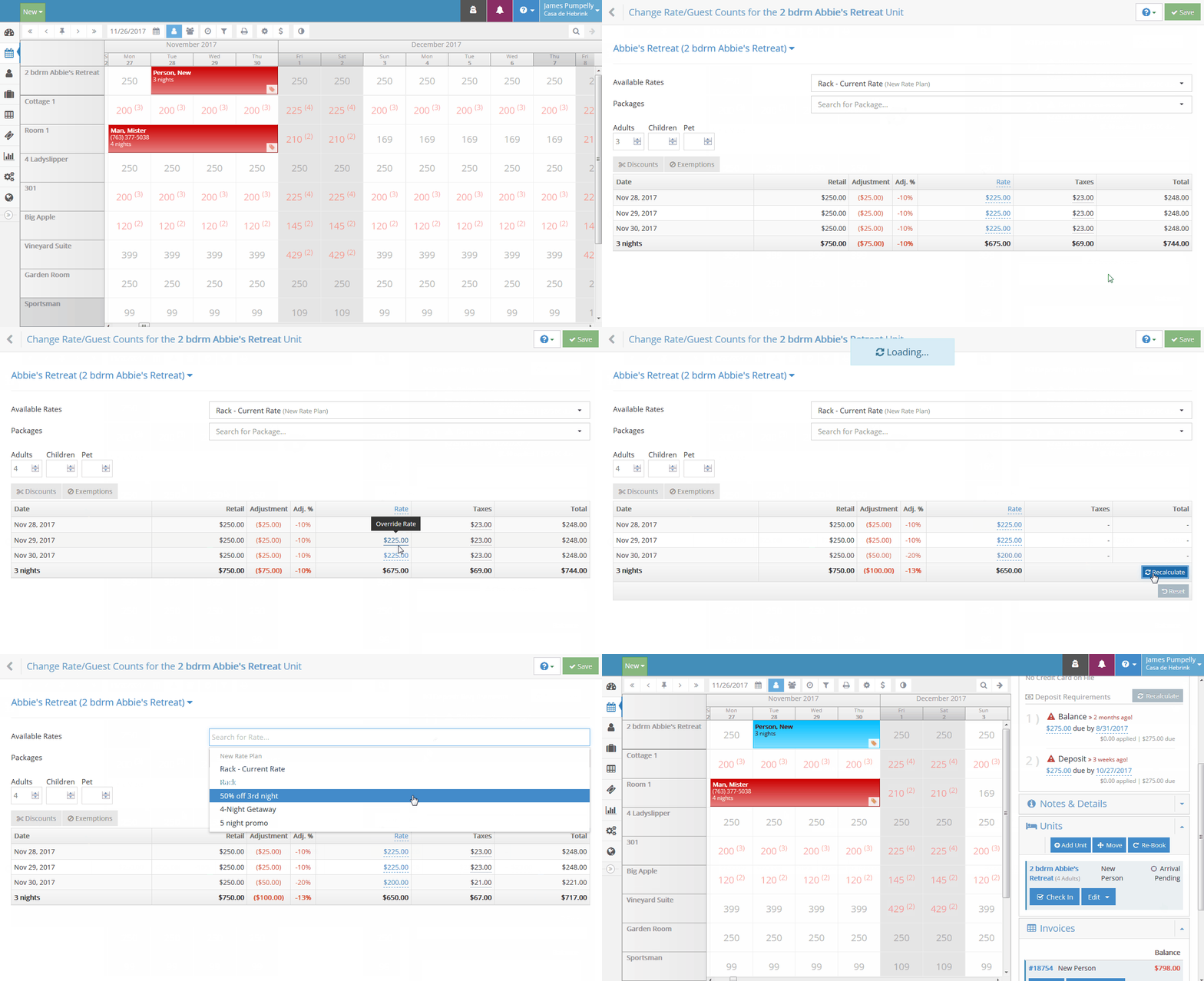
To change the rate, guest count or package:
- Click the reservation on the Occupancy Map.
- In the Units section, click the blue Edit button.
- Choose Change Rate/Guest Count and make your changes.
Still need help?
Call us at 303-872-0220 x 2 or send us a support request. We're happy to walk you through it.
Related articles