
Update a guest's contact information or name from their record on the People page.
Time needed: about 5 minutes
What's on a guest's record
From a guest's record, you can manage their contact information, name, important dates, notes, POS items and contact log entries. This article covers updating their contact information and name.
Part 1: Find the guest
1Open People
Click the People tab.
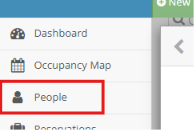
2Open the guest's record
Search for the guest by name, then click their name to open their record.

Part 2: Update contact information
1Click Edit
To change an email address, phone number or other contact details, click Edit in the Contact Information section.

2Make your changes and save
Make your changes, then click Save.

Part 3: Update the guest's name
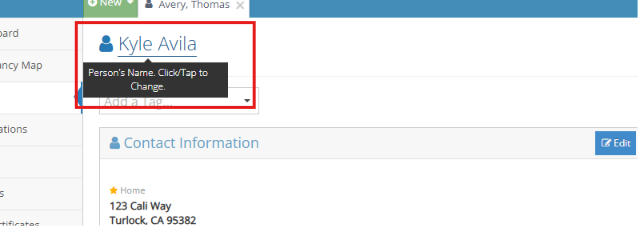
1Click the guest's name
To change their First Name or Last Name, click their name at the top of the record.
✓You're done!
Your changes now show on the guest's record.
Still need help?
Call us at 303-872-0220 x 2 or send us a support request. We're happy to walk you through it.
Related articles